Classification of Software

Towards the ending of this semester, we're covering one of the last topics: software, one of the most essential parts in a computer, since it is what makes the computer unique to individual users. 

Flowchart Presentation

The week began with something left over from last week – the presentation of flowchart. We were assigned, in pairs, to discuss a topic we’re interested in and solve it in the form of flowchart and pseudocode, which we needed to present to the class.

After a series of discussion, turning down lots of possible topics, my partner and I eventually settled on “should you raise a cat”. This may not be so entertaining but we believe that it’s quite important and life-related since lots of us currently are or are considering raising a pet, which can be a really serious and deliberate life-decision.

To solve this problem, we utilized the idea of COMPUTATIONAL THINKING. So firstly, decomposition. We decomposed this problem into several questions: whether you have the time, money and energy to raise a cat, whether your physical and mental health conditions are suitable… So on and so forth. Secondly, abstraction. Focusing on individual questions, we used if-else conditions and thought about what would happen when the answer is “yes” and “no” respectively. And then, pattern recognition. In this case, the pattern would probably be recognizing how to deal with the “yes”s and “no”s in each question. Usually, when the answer is “yes”, in other words, the condition is suitable for raising a cat, the flowchart goes on to the next question, evaluating whether the user should raise a cat from another aspect; when the answer is “no”, however, we would then think if the unfavorable condition can be made up, so the flowchart either goes on to the makeup question or output “you shouldn’t raise a cat” directly and ends. Finally, algorithm. We listed the steps of judging whether to keep a cat and composed a flowchart and its corresponding pseudocode, as shown in the picture below.

Flowchart: Should You Raise a Cat?

Software

Hierarchy of Software

Recall what was learned at the beginning of the semester — layers of a computing system — the operating system layer and the application layer can be combined to form the software layer. This idea comes from the hierarchy of software, as shown in the chart below.

Hierarchy of Software

Softwares can be divided into two categories: system softwares and application softwares. Further, system softwares can be classified into operating systems, library programs, utility programs, and programming language translators; while application softwares are composed of general-purpose application software, special-purpose application softwares, and bespoke application softwares, all of which I’ll elaborate on in the rest of the blogpost.

Video: Computer Software

In order to better understand the role of computer software, we watched a video clip which explains it in plain English. The video compares a computer software to a translator between users and the computer, understanding our needs and put the computer to work for us. Most computer softwares have two basic kinds: operating systems and software programs.

The operating systems come with the new computer and do a lot of the same things. Mac, Windows, Linux are all daily examples of operating systems. They cover the basics, like saving a file and using a mouse.

However, to make a computer more useful and personalized, software programs are added. Essentially, a software program is just a set of instructions that tell the computer what to do. All in all, it’s the combination of the operating systems and software programs that “brings computers alive” and makes computers so useful. While the video clip teaches us the basics about computer softwares in plain English, it’s still necessary for us to learn the keywords and actual terminology.

System Software

The presence of system softwares are essential to both hardwares and application softwares, since they are designed to operate the computer hardware and to provide a platform for running application software. Four main types of system softwares exist: operating system software, utility programs, library programs, and translator software.

Operating System Software

Operating systems are a collection of programs that make the computer conveniently available to the user. One obvious feature of an operating system is that it hides the complexities of the computer’s operation. It is an interface between the application software and computer, in other words, an operation system interprets commands from application softwares; an application software has to reach for the operating system before it communicates with the computer.

A Simplified Communication System in Computer
This image has an empty alt attribute; its file name is operating-system-icon-5746821.jpg
4 Examples of Operating Systems

Library Program

Library programs are commonly known for creating games. A library program is a collection of compiled routines or functions that other programs can use. It contains code and data that provide services to other programs such as interface, printing, network cade, and the graphic engines of computer games.

This image has an empty alt attribute; its file name is screen-shot-2019-05-30-at-8.22.45-pm.png
The Developing Process of a Game With Library Programs

Utility Software

Utility programs perform a very specific task related to working with computers. These type of programs are usually small, with limited capacity, yet extremely powerful. Unlike application softwares, utility programs perform specific tasks not for the user’s personalized need but for the computer system to run smoothly.

When talking about utility softwares, we had a little activity: discussing several utility softwares we’ve used before. An example Judy and I came up with was the firewall program. Some other examples from other students include virus scanners and file managers.

This image has an empty alt attribute; its file name is software-7-638.jpg
Examples of Utility Software

Translator Software

Translator Software is a software that allows new programs to be written and run on computers by converting source code into machine code. There are mainly three types of translator softwares: assembler, compiler, and interpreter.

Assembler is a program that translates an assembly language program into machine code (‘0’s and ‘1’s). Assembly language is a type of mnemonic code. For example, ‘load register into X’ is ‘LDA X’ in assembly language, where ‘LD’ is short for ‘load’. Assembly language is one of the low-level programming languages, and the machine language can be considered as the lowest-level programming language.

Compiler is a program that takes a program in a high-level language, the source code, and translates it into object code all at once. Most applications on phone and Microsoft word are all examples of compiler. The basic process that a compiler works is to first pile up the entire program and translate all at once, which can be pretty slow, but the rest of the work is very fast, the computer execute the instructions at once.

Interpreter analyses and executes each line of a high-level language program, one line at a time. The program has to be interpreted each time it is run as no object code is generated. For example, websites are examples of interpreters. An interpreter is always between the user and the computer, translating the instructions and pass them to the computer to execute.

A video we watched compared compiler and interpreter. The most obvious differences between interpreter and compiler are that interpreter runs slowly but starts right away, whereas compiler needs extra preparation but runs quickly and efficiently. In fact, there are some softwares that are a combination of compiler and interpreter, for example, Java.

How Interpreter, Compiler, and Assembler Work

Application Software

An application software allows users to perform non-computer tasks. In other words, it is a software designed to help the user to perform specific tasks, it makes computers personalized. There are generally three types of application softwares: general purpose application software, special purpose application software, and bespoke application software.

General-Purpose Application Software

General-purpose software is a type of software that can be used for many different tasks, not limited to one particular function. Word processors, spreadsheet, and presentation softwares are all examples of generic software, like presentation softwares can not only be used to create presentations, but also videos, and other things as well.

Power Point – a General-Purpose Application Software

Special-Purpose Application Software

This is a type of software that created to execute one specific task, a very narrow and focused task. Web browsers, calculators, media players, and calendar programs are common examples of special-purpose application softwares since they can only perform one specific task respectively.

Calculator – a Special-Purpose Application Software

Bespoke Software

Bespoke software is tailor made, or custom-made, for a specific user and purpose. It is made exclusively for an individual or organization, for example, software for the military, missile/UAV operations, software for hospitals and medical equipment, and software being written inside banks and other financial institutions. Bespoke softwares are totally different from off-the-shelf softwares, which are usually readymades, rather than tailor-made.

An Example of Bespoke Software
Through this week, we dug into the field of software, another essential component of computing system. The more we learn, the more the importance of computer and computational thinking starts to appear — computational thinking is something that can probably help us all along, even out of the CS class. 

Algorithm

What is an algorithm? What are the properties of an algorithm? How to express an algorithm? And how are algorithms used in real life? These are some of the main questions we explored during the past few weeks in the computer science class. Welcome, to the world of algorithm. 

Definition and Properties of Algorithm

Definition of Algorithm

The definition of an algorithm is a set of step-by-step clear instructions to solve a problem in the most efficient way in a reasonable amount of time.

Relating to computational thinking, the core of computer science, algorithms, or algorithmic thinking, is the final step of it. Computational thinking applies to everything; it helps solve all kinds of problems in life. Taking finding a TV show to watch as an example of a problem and apply computational thinking in solving this. Firstly, decomposition. In this case, we can break down all TV show in categories. Secondly, abstraction — grouping similar TV shows into a category and searching only in a particular category at a time. Thirdly, pattern recognition — if the director is famous and genre is romantic then it should be a good one. Finally, algorithm — listing all possible steps in order to find a TV show for anyone to efficiently search the best.

Activity: a Human Robot

This gives us an idea of the importance of algorithms, which we can better understand through the following activity we carried out during the class — a human robot. In this activity, a student was blindfolded to act as a robot while other students gave instructions for directions and actions for the robot student, to reach for an hourglass. Even though this took several minute, eventually, the student successfully got the hourglass. She reached her objective, which was WHAT WENT WELL. Yet it could be EVEN BETTER IF clearer instructions were given, by further quantifying. For example, instead of saying “turn left”, “turn counter-clockwise for 90 degrees” might be a better instruction which can be easier processed.

Through the previous examples we can clearly see how much a good algorithm matters. A clear and well-designed algorithm can directly pump the whole process of problem-solving into a much higher efficiency in obtaining the best result.

Properties of Algorithm

Five crucial properties exist for algorithms — finiteness, definiteness, input, output, and effectiveness.

  • Finiteness: “An algorithm must always terminate after a finite number of steps… a very finite number, a reasonable number.” This matters since without finiteness, an algorithm can be really complex, including millions of steps, going on indefinitely.
  • Definiteness: “Each step of an algorithm must be precisely defined; the actions to be carried out must be rigorously and unambiguously specified for each case.” Only clear, accurate and precise instructions can be carried out successfully and efficiently.
  • Input: “… quantities which are given to it initially before the algorithm begins. These inputs are taken from specified sets of objects”
  • Output: “quantities which have a specified relation to the inputs” Just like all computing systems, an algorithm always has inputs and outputs.
  • Effectiveness: “… all of the operations to be performed in the algorithm must be sufficiently basic that they can in principle be done exactly and in a finite length of time by a man using paper and pencil”

Avtivity: Guided Tour – City Tube Map

Left: the City Tube Map; Right: the Visiting Route Our Group Planned

Divided into groups of two, we participated in an activity Guided Tour — City Tube Map. The instructions of the activity reads like this: “starting at the hotel, plan a route so that tourists can visit every tourist attraction just once ending up back at the hotel.”

Different groups planned different routes; there are more than one solution to this problem. In fact, everything can be solved in different ways, whether effective or not. Each way has its own advantages and disadvantages. So we need to keep open-minded, to accept different ideas and opinions, which is probably why ‘open-mindedness‘ is included in the IB learner profile.

Video: “The Secret Rules of Modern Living: Algorithms”

After learning the basic concepts of algorithms, we watched a video which introduced us to many algorithms present in our daily life. Among all the algorithms shown in the video, two impressed me the most — the greatest common divisor algorithm and the bubble sort algorithm.

  • The Greatest Common Divisor Algorithm

The greatest common divisor (GCD) algorithm was one of the first algorithms ever designed. Euclid, always considered as the greatest mathematician from 3rd to 4th century, developed a series of step-by-step instructions that elegantly solve the common math problem of finding the GCD of any two numbers.

Imagine you’ve got a rectangular-shaped floor, and you want find the most efficient way to tile it with square tiles, in other words, finding the largest square tile that’ll exactly divide the dimensions of the floor with nothing left over. This is, in fact, the geometric version of the greatest common divisor problem — the dimensions of the floor are the two numbers, the size of the tiles which we’re trying to work out is their GCD.

Take a floor sized 345*150 as an example.
(The link of the video: https://www.youtube.com/watch?v=kiFfp-HAu64)
  • 1. Fill the rectangle with square tiles corresponding to the smallest of the two dimensions.
In this case, fill the 150*345 floor with 150*150 square tiles.
  • 2. Then do the same thing to the remaining rectangle: fill it with square tiles corresponding to the smallest of the two dimensions of it.
Fill the remaining 45*150 rectangular floor with 45*45 square tiles.
  • 3. Do the same thing again and again until there’s no remaining rectangle, in other words, until the square tiles perfectly fill the leftover space.
Fill the remaining 15*45 rectangular floor with 15*15 square tiles.
  • 4. When the entire rectangular floor is filled, we can get the GCD of the initial two dimensions is the size of the smallest square filling the floor.
Thus, the GCD of 345 and 150 is 15.

The amazing thing about this Euclidean algorithm is not only that it is one of the first algorithms ever existed, but also that it is a simple step-by-step method that can successfully find the GCD whatever the two numbers are — it’s an efficient general solution to the greatest common divisor problem.

  • Bubble Sort Algorithm

Being considered as one of the most iconic sorting program of all time, the bubble sort algorithm was created in the 20th century. It gets its name because with each round of the algorithm, the largest sorted object ‘bubbles’ to the top/end.

The basic rule of the bubble sort algorithm is to consider the objects, or numbers, in pairs, and swap them over if they are in the wrong order. To see how it works, we’re going to sort 7 numbers, from 1 to 7, in the increasing order.

  1. Initially, the numbers are arranged as following: 3, 5, 2, 1, 6, 4, 7. First, consider the first pair of numbers — 3 and 5 — and we can see that they are in the right increasing order, so we leave them there.
  2. Then consider the next pair: 5 and 2. 5 is larger than 2 so they are in the wrong order, then we swap them over. So now the numbers are 3, 2, 5, 1, 6, 4, 7.
  3. The next pair, 5 and 1, are in the wrong order, so we swap them over as well. Now the numbers are 3, 2, 1, 5, 6, 4, 7.
  4. Repeat this process pair by pair and we will reach the last number, 7. By now, the numbers should be arranged as 3, 2, 1, 5, 4, 6, 7.
  5. Then we start from the first pair of numbers, 3 and 2, all over again.
  6. After the second round, the numbers are 2, 1, 3, 4, 5, 6, 7.
  7. Then after the third round, we’ll be able to get the numbers in the correct increasing order: 1, 2, 3, 4, 5, 6, 7. Now, the algorithm stops, since there are no pairs to swap around.

From the previous procedures we can see that bubble sorting can be somewhat inefficient when the scale of sorting sample is large, for example, when organizing large numbers of data, yet still, the bubble sorting algorithm is iconic for its elegant simplicity and straight-forwardness.

Project – Algorithm Magic

After the class, we were assigned to prepare a magic and present it to the class. Our group was assigned ‘the intelligence piece of paper’. Basically, the magic was a set of instructions, or an algorithm, to win the game of ‘cross and naught’. The algorithm is shown as follows.

The Cross-and-Naught Algorithm

Our group presented the winning algorithm and explained it with the concepts and steps of computational thinking. Through this, we fully realized that everything in life can be explained and solved using computational thinking, and computational thinking is making our life much more organized and understandable.

Designing an Algorithm

There are two main things we need to look at when designing an algorithm. First, the big picture, meaning to consider what is the final goal. Second, the individual stages, the barriers and obstacles need to be overcome on the way.

Before an algorithm can be designed, it is important to check that the problem is completely understood, which can be done be asking yourself the following 5 questions.

  • What are the inputs into the problem?
  • What will be the outputs of the problem?
  • In what order do instructions need to be carried out?
  • What decisions need to be made in the problem?
  • Are any areas of the problem repeated?

Expressions of Algorithm

There are generally four kinds of expressions of algorithm: natural language, flow chart, pseudocode, and programming language.

  • Natural Language

Natural language is written in simple English, and is usually verbose and ambiguous. A natural language can be easily carried out by fetching, decoding, and executing the instructions step by step. A simple example of an algorithm expressed in natural language would be as follows:

Start the program
Display the message “THIS WILL BE PRINTED TWICE” two times
Display the message “THIS WILL BE PRINTED FOUR TIMES” four times
End the program

  • Flow Chart: formalized graphic representation
  • Programming Language

Programming languages are artificial languages to communicate with computer system, instructing a computer or computing device to perform specific tasks. Common programming language includes BASIC, C, and Java, with each of them having its own unique vocabularies and a set of grammatical rules.

  • Pseudocode

A pseudocode is a generic artificial language, consisting of a series of English-like statement that describe a task or algorithm. It is a planning tool that allows us to design the flow of a program prior to writing the code, so it lies between natural language and programming language.

Common pseudocode notations we use even as beginners are listed as follows. “input” indicates a user will be inputting something; “output” indicates that an output will appear on the screen; “while” is a little more complicated, indicating a loop (iteration that has a condition at the beginning); “for” is loop as well, a counting loop (iteration); “repeat–until“, again, is a loop (iteration), but one has a condition at the end; “if–then–else” indicates a decision (selection) in which a choice is made. Besides all the vocabularies above, another crucial rule of pseudocode is that any instructions that occur inside a selection or iteration are usually indented.

Even though the common notations are the same, the rules for pseudocode can be slightly different under different curricula. For instance, in IB (International Baccalaureate) curriculum, there are several approved notations worth noting, as shown in the charts below.

IB Approved Pseudocode Notations

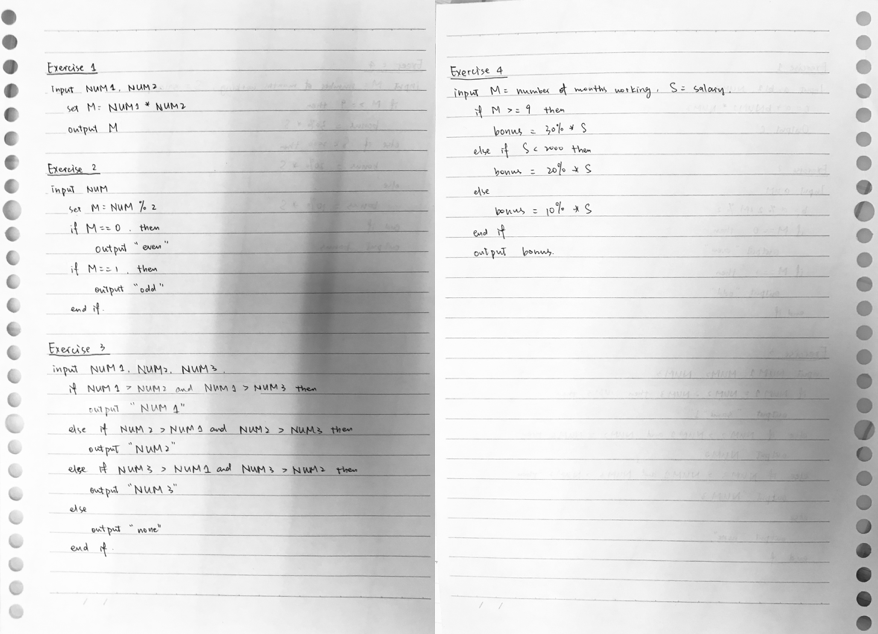
Here’s an example of a simple pseudocode to tell a user that the number they entered is odd or even.

output “enter a number”

input NUM

if NUM % 2 = 0

output “it’s an even number”

else

output “it’s an add number”

end if

A pseudocode that tells a user that the number they entered is odd or even
Pseudocode Practice
Through the study of these weeks, we dived into the world of algorithm, a set of step-by-step, clear instructions to solve the problem in the most efficient way in a reasonable amount of time. Algorithm is truly a universal language that makes the world organized and more manageable. 

Inside a Computer and Binary Representation

Based on our previous learning on computing system, last week, we studied about things inside a computer — including the CPU's components and their respective functions — and binary representation. One notable thing about the week's classes was that lots of activities were carried out, which, personally speaking, made the contents much more enjoyable and comprehensible. 

How Does a Computer/CPU Work

In order to better understand what’s inside a computer and how it works, we first watched a video which shrank us down to the size of electrons and led us on “a tour” inside a computer. The animation vividly showed us that the process between a click by the mouse and the final display of a video is actually extremely complicated, though all of this usually happens within milliseconds (human eyes can hardly recognize the time interval). This can be applied to other situations in life as well — a thing considered as easy and normal can actually require lots of internal work and wisdom.

Functions and Main Components of CPU

Numerous things keep a computer working, and among them, the central processing unit (CPU), or microprocessor, is so important that it can be considered as the “brain” of a computer. It is responsible for executing a sequence of stored instructions called a program, which will take inputs from an input device, process the inputs in some way and output the results to an output device.

An Illustration of a CPU

There are basically 3 most essential components in a CPU — the control unit, the arithmetic logic unit, and registers. A control Unit (CU), makes decisions and sends appropriate signals down its lines to other parts of the CPU, and controls the timing of operations in the computer and the instructions sent to the processor and the peripheral devices. An arithmetic Logic Unit (ALU) is responsible for carrying out arithmetic (calculations) and logic (decision) functions. As for registers, they provide temporary memory storage locations within the CPU.

Roleplaying Activity

To better understand the functions of each component within the CPU, we did a roleplaying activity. Divided into 4 groups of 5, each of the group member represents a component of CPU. Student CU (control unit) is given the program to run and is responsible for telling the other components (students) what they need to do; student ALU (Arithmetic/Logic Unit) & register (Memory) keeps track of the current values of x and y and performs any math operations, if needed, requested by the CU; student display responds to commands from the CU by plotting the x, y values on the display grid; student CPU bus carries the messages between the other components; student CPU clock keeps a record of total work times of all other components.

Add 4 to x

Add 6 to y

Plot (x, y)

Examples of Instructions Given by CU
Two Final Displays of the Activity

Through the simplified demonstration of CPU, we had a better idea about how it works and some of its characteristics. Firstly, the computer doesn’t “understand” what it’s doing; it simply follows the instructions, receiving an input, processing, and giving an output. Secondly, when a program begins, there’s no way to stop it or make changes / corrections at halfway. Even if there is a mistake in the program, the computer will still keep going and try to execute the program as written.

Binary Representation

Data & Information

Before actually digging into binary representation, things need clarifying are the definition of and differences between data and information. Data is the raw material, the numbers that computers work with, a fact that needs to be processed. Information includes words, numbers and pictures that can be understood; it’s usually a processed data. So the relationship between data and information is that data is processed, or converted, by a computer into information.

Binary Number System

Most of us are probably familiar with the fact that data in computers is stored and transmitted as a series of zeros (0) and ones (1). But how can all the various words and numbers represented using just these two symbols?

Let’s start with transforming binary to and from decimal.

Firstly, how to convert decimal to binary.

  1. List all the powers of 2 which are smaller than the decimal number from the largest to the smallest, from left to right, either in your head or write them down. Note that the numbers are placed in the order of decreasing magnitude!
  2. Calculate which of the numbers (the powers of 2), when added together, is the decimal number that you want to represent. Each of the powers of 2 are either used once or not at all.
  3. Put a “1” under the number (power of 2) you need and a “0” under the number not needed.
  4. Write the series of “o”s and “1”s down, (note that the series always starts with a “1”) which is the binary representation of the decimal number.

Despite of the poorly summarized steps above, here’s an actual example. When converting the number ten from decimal to binary, list all the powers of 2 smaller than ten: 8, 4, 2, and 1. Through a simple addition, we can find that 10 = 8 + 2. Only the numbers 8 and 2 are used, so a “1” is put under 8, a “0” for 4, a “1” for 2, and a “0” for 1. Then the final binary representation we get is 1010.

Converting 10 to Binary: 10 (10) = 1010 (2)

Secondly, how to convert binary to decimal.

  1. List all the powers of 2, from the smallest (1) to the largest, from right to left, each number matching a digit of the binary number.
  2. Multiply the powers of 2 listed with their corresponding “1” or “0”, and add the products together. The resulting sum is the decimal number of the binary number.

Again, take binary number 1010 as an example. List the powers of 2, which, in this case, are 1, 2, 4, and 8, from right to left. Carry out the simple calculation: 0*1 + 1*2 + 0*4 + 1*8 = 10. So the decimal representation of binary 1010 is 10.

These two conversion processes may seem complicated as first, but things always get better after practicing, which was probably why we were given an assignment on this after class.

The Assignment on Converting Decimal to Binary

ASCII & UNICODE

Other than numbers, computers store and transmit everything in binary form, including words, pictures and videos. Then how are texts represented? There are two common ways that are used widely nowadays — ASCII and UNICODE.

ASCII is the abbreviated form of American Standard Code for Information Interchange. It’s a character encoding standard for electronic communication. ASCII codes represent text in computers, telecommunications equipment, and other devices as well. Most modern character-encoding schemes are based on ASCII, although they support many additional characters.

UNICODE is a computing industry standard whose goal is to propose a unique character set and character encoding containing all characters used in the world, and defining rules to store these characters in form of bytes in memory or on physical supports. Unicode characters are to be represented in sequence of bytes using character encodings.

UNICODE Table for Difference Languages

The major differences between ASCII and UNICODE are as follows:

  1. ASCII uses an 8-bit encoding while Unicode uses a variable bit encoding.
  2. Unicode is standardized while ASCII isn’t.
  3. Unicode represents most written languages in the world while ASCII does not.
  4. ASCII has its equivalent within Unicode.
Through our further study on computer and its inner world, I feel like I am starting to know about the machine we deal with every day, which I haven't until recent weeks. Its hidden wonders and all the wisdom and efforts behind it truly fascinate me. The long-lasting journey in computer science for the remaining of this semester is yet to come... 

Computing System

During the past few weeks of the computer science class, we’ve set some foundations for this course — setting online portfolio in WordPress blog — and began to touch the field of computer and computing system. 

Basic Skills Used in the Course

How to Set up an Online Portfolio (WordPress Blog)

WordPress is the website that we’ll be using throughout the whole semester for blog posting, so studying to use this is quite necessary from the beginning. We learned how to set up a blog with a proper category and menus, posts attached to the categories, which I’ll introduce in the following.

Firstly, how to set a proper category.

  1. Go to “My Site – Settings – Writing – Categories”.
  2. Click “Add New Category”, type in the name of the category, and it’s done.
How to Set a Proper Category

Secondly, how to set a proper menus.

  1. Go to “My Site – Customize – Menus – Primary”.
  2. “Add Items” in “Categories”, simply type the name of the menus, and it’s done.
How to Set a Proper Menus

Finally, how to attach posts to the right categories.

  1. Go to your post and click “Categories” under the column “Document” on the right.
  2. Tick the boxes of the categories to which you want to attach your post and it’s done.
How to Attach Posts to the Right Categories

Filling Student Information Database on the Class Website

In the specific website for designed our course, we completed the student information database with our basic information, for the convenience the teacher.

Computing System

Computer and its Components — Hardware and Software

Today, computers are all around us. From desktop computers to smartphones, they’re changing the way that we live our lives. But have you ever asked yourself, “What is a computer?”

GCF Learn Free, 2012

This is the first line of an introductory video clip on computers we watched during class. In this particular video, a computer is defined as “an electronic device that manipulates information, or ‘data’”. I was slightly surprised by the simplicity of this definition, according to which not only are the things we call “computers” (such as desktop and laptop computers) considered as computers but also smartphones.

Despite of all different types of computers, all of them are run by the computing system, in which computer hardware, software, and data interact to solve problems. Hardware is the physical elements of a computing system, for example, the printer, the monitor, and the keyboard. As for the software, it is the programs that provide the instructions for a computer to execute, telling the hardware what to do, such as a web browser and media player. It is these two parts and, most importantly, the computing system which make a computer operates and serves various purposes in our daily lives.

Layers of a Computing System

Before exploring the layers of a computing system, we watched another video clip, “Who Invented the Computer?”. Lots of legendary names showed up along the history of inventing the computer, such as Charles Babbage, Alan Turing, and Konrad Zuse. However, the video eventually reached a conclusion that the computer was not invented by a single person, but many, each influenced and inspired by each other. The idea of people working step by step, supporting one another, and finally making a creation that benefits all mankind with the combination of their intelligence and imagination truly amazed me.

Layers of a Computing System

Through a few generations of development of computers and computing systems, today, a computing system includes 6 layers. The information layer is the innermost layer, which reflects the way we represent information on a computer — using binary digits, 1 and 0. The second layer, hardware, consists of the physical hardware of a computer. It includes devices such as gates, circuits, monitor, and lots of other physical components. The third layer is the programming layer, which deals with software, the instructions used to accomplish computations and manage data. Then, it’s the operating systems (OS). It helps manage the computer’s resources, help us interact with the computer system and manage the way hardware devices, programs, and data interact. Some of the most often used operating systems include Windows 8 and Mac OS X. All these 4 layers discussed above are inner layers, which focus on making a computer system work. The other two layers are the application and communication layers. The former focuses on using the computer to solve specific real-world problems, running application programs to make use of the computer’s abilities in other domains, while the latter, as written in its name, helps us to communicate with others’ computers by connecting computers into networks to share information and resources. One common example of the communication device is the Worlds Wide Web (www), which makes the communication easier in a great extent. A computer isn’t able to run without the 4 inner layers, but most of our usage of computers today rely on the 2 outer layers, such as chatting and posting on social medias. Therefore, all these layers are essential to the function of a computer .

The General Model of All Computing Systems

Despite of various types of computers being used nowadays, the same general model is being used by all modern computers — input, process, and output. A system receives an input, processes the information, and performs an output.

What I found quite interesting through our in-class discussion was that this model doesn’t only apply to computers and its devices, but to lots of other systems in real-life as well. Take a fan for example. When an input, a press on a button to turn on or off a certain degree of wind, is received by the fan, it processes the signal and prepare to spin the wind blades, then the output of blades spinning and wind blowing is performed.

A Fan to which the General Model can be Applied

Computing Hardware (Presentation)

After the intense knowledge about computers and computing systems, the class was divided into groups to research and create online presentation about computer hardware. There are five groups of computer hardware in total: input devices, processing devices, output devices, storage devices, and communication devices. Our group was dealing with the last one, communication devices, which are extremely important in our daily lives, as people nowadays can’t really live without WiFi or 4G network. We researched on several common communication devices such as modem and bluetooth.

A Sample Page from Our Presentation
https://show.zohopublic.com/publish/d2ak3a6be65a506464545a65d3ae58b7e7850 (this is the public link to our presentation)
In these weeks, we built up the basic skills needed in class and learned about computer and the computing system. Through the classes, we began to have an idea of how computer science is strongly related to our life and how much it matters. Computers are the past, present, and the future as well. 

My First Blog

My First Blog for the Computer Science Course

Struggling to write a paragraph…

Here is a grade 10 student, currently living in Beijing, China, who is striving to survive in the IBDP program.

What I Like to Do

Like some of my contemporaries, I’m a huge fan of superhero movies, especially the ones of Marvel. With Marvel being an essential part of me, my life is filled with excitement, imagination, and also, endless patience and waiting as waiting several months for a movie, trailer, or comic has already become a matter of routine.

What Will Be Posted in This Account

Being a teenager confused and uncertain about her own interest and future, I decided to take a try in the field of computer science and see if it would be the one for me.

Thus, this account is created exclusively for this computer science course, lasting for one semester. The content and progress of the classes will be recorded here throughout the course and study. Looking forward to explore in this dazzling wonderland of computation!